Tom Lionne
Tool reviews
10 min read
Kit (ConvertKit) review: pricing, free plan and features of the email platform for creators
Kit (formerly ConvertKit) review: newsletters, Visual Automations, landing pages and digital product sales. Free up to 10,000 subscribers, paid plans from $33 a month.
A newsletter, a welcome sequence, a page to collect sign-ups, an ebook to sell: when you make a living from your content, everything runs through email. Kit, which many people still know by its former name ConvertKit, is the email marketing platform built for that job. More than 550,000 creators use it, and its free plan takes up to 10,000 subscribers.
This page contains affiliate links: if you subscribe to Kit through them, I earn a commission, and you pay the same price.
Here is what the tool does, what each plan costs depending on the size of your list, and who it is for.
- An email marketing platform designed for creators: bloggers, authors, course creators, podcasters, YouTubers.
- Newsletters, automated sequences, and unlimited forms and landing pages in one tool.
- Built-in sales of digital products and paid newsletters, with no separate store.
- A recommendation network between creators to win new subscribers.
- A free plan up to 10,000 subscribers, then paid plans from $33 a month billed yearly.
What is Kit (formerly ConvertKit)?
Kit is email marketing software: it hosts your subscriber list, sends your newsletters, triggers automated emails and gives you the forms and pages that grow the list. What sets it apart is its audience. Where most email tools target online stores or marketing teams, Kit was built for people who live off their audience.
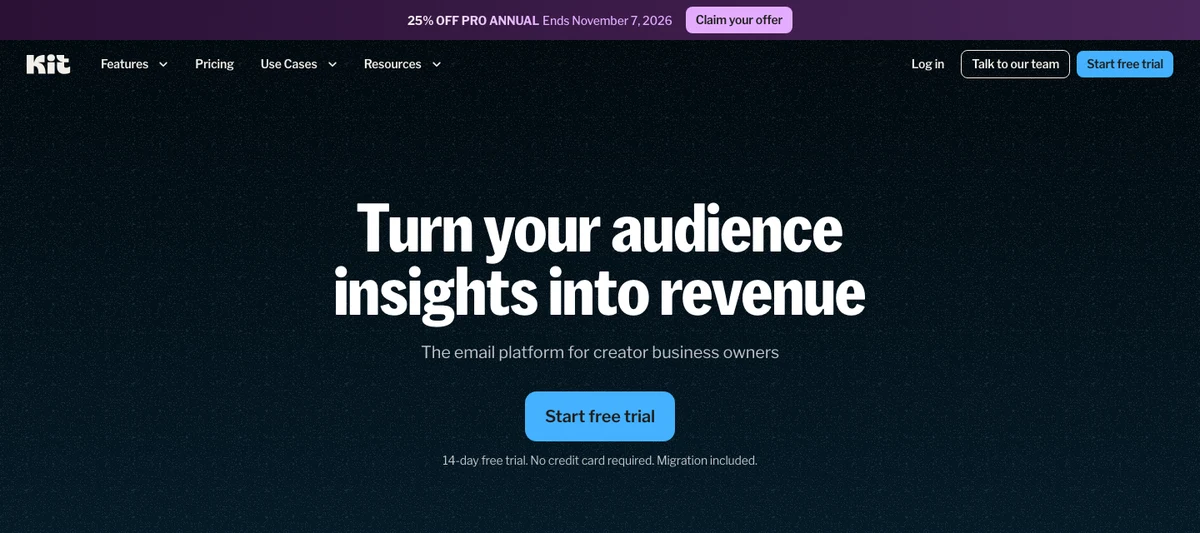
The tool was called ConvertKit for a long time. It became Kit with a new brand identity, without taking anything away: accounts, lists and automations all stayed in place. If you are searching for ConvertKit, Kit is the same product, and kit.com replaces the old address.
Behind the product is a fully remote team of around a hundred people. Kit reports more than a billion emails sent every month, with a 99.8% deliverability rate. That is the first thing to check in any email tool: an email that never reaches the inbox is of no use to anyone.
Newsletters and the email designer
Sending is at the heart of Kit. You write your email in a visual editor, choose who receives it, and send it straight away or schedule it. Around forty templates give you a starting point, and you can build your own in your brand colours.
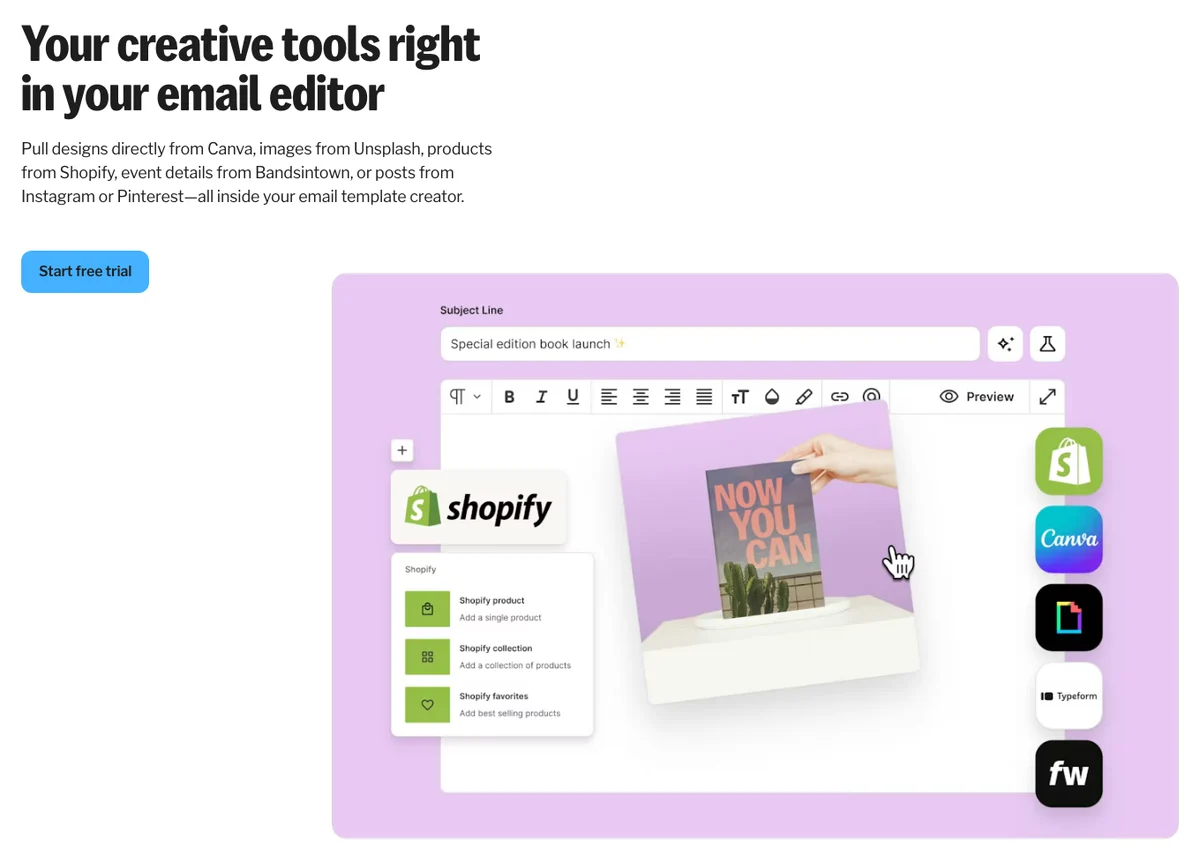
The editor goes beyond layout. You can add a poll, a countdown timer, a video or a product to sell. Conditional content shows a different block depending on each subscriber’s interests, inside one single email. And A/B testing compares two subject lines to keep the one that gets the most opens.
Two practical details matter day to day: resending to unopens in one click, and reusable snippets, so you never rewrite the same signature or introduction ten times.
Visual Automations
This is the feature that built the tool’s reputation. An automation is a journey you draw once and that then runs on its own: someone signs up, receives a welcome series, clicks a link, and moves on to the emails that match what interests them.
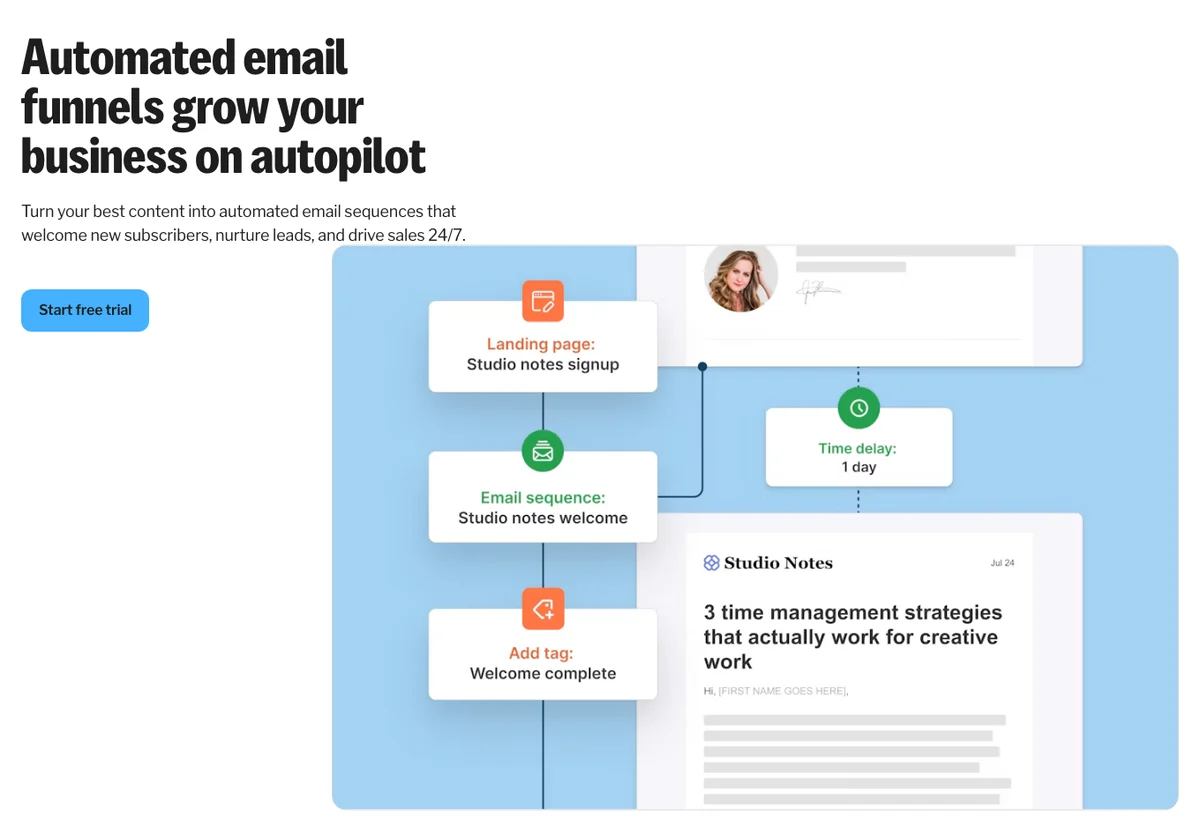
Everything is built with blocks, using the mouse. Triggers range from a form sign-up to a product purchase or a link click. Ready-made templates cover the classic cases: welcoming new subscribers, launching an offer, delivering a course lesson by lesson.
It all rests on tags and segments. Kit does not split your contacts into separate lists: each subscriber exists only once and carries tags based on where they came from, what interests them and what they bought. You never pay twice for the same person, and your sends stay targeted.
Forms and landing pages
No website? Kit has you covered. Landing pages and sign-up forms are unlimited, including on the free plan. Around twenty templates cover a newsletter, a lead magnet, a webinar or a waitlist, and each page connects directly to your automations.
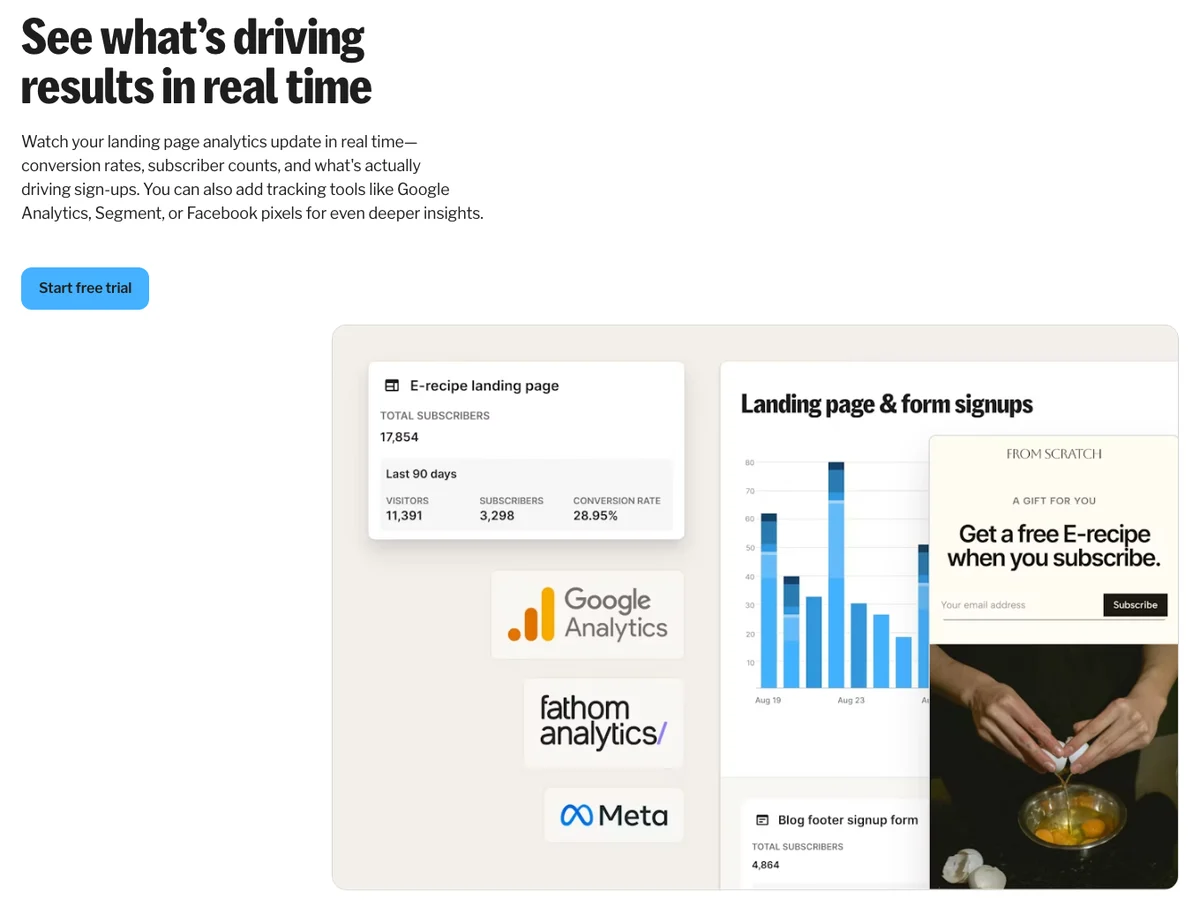
Forms display the way you want: inline in a post, as a modal, as a sticky bar or as a slide-in. The incentive promised in exchange for the sign-up, a PDF for example, is delivered automatically. And you can connect your own domain name so everything stays on brand.
The Creator Network and recommendations
This is one of Kit’s most original ideas. When a reader subscribes to a newsletter, Kit offers them other newsletters recommended by its author. Creators recommend one another, and both lists grow.
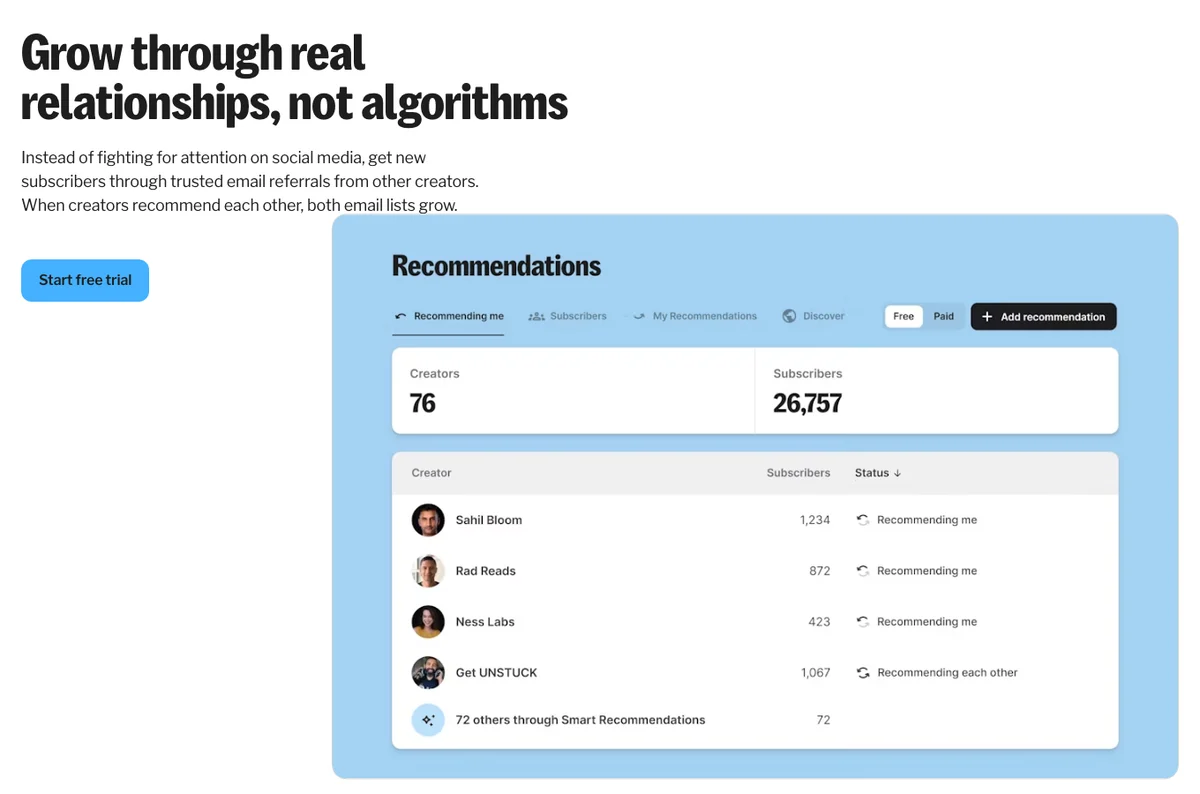
Basic recommendations are free. From the Creator plan, Paid Recommendations let you earn money for every subscriber you send to another creator. For a newsletter that is just starting, it is a growth channel that depends neither on social media nor on advertising.
Selling digital products with Kit
Kit includes a commerce layer. You create a product page, set a price, and the tool takes the payment and delivers automatically: ebooks, templates, presets, coaching sessions, memberships or a paid newsletter. One-off payment, subscription, pay what you want or tip jar, it all works.
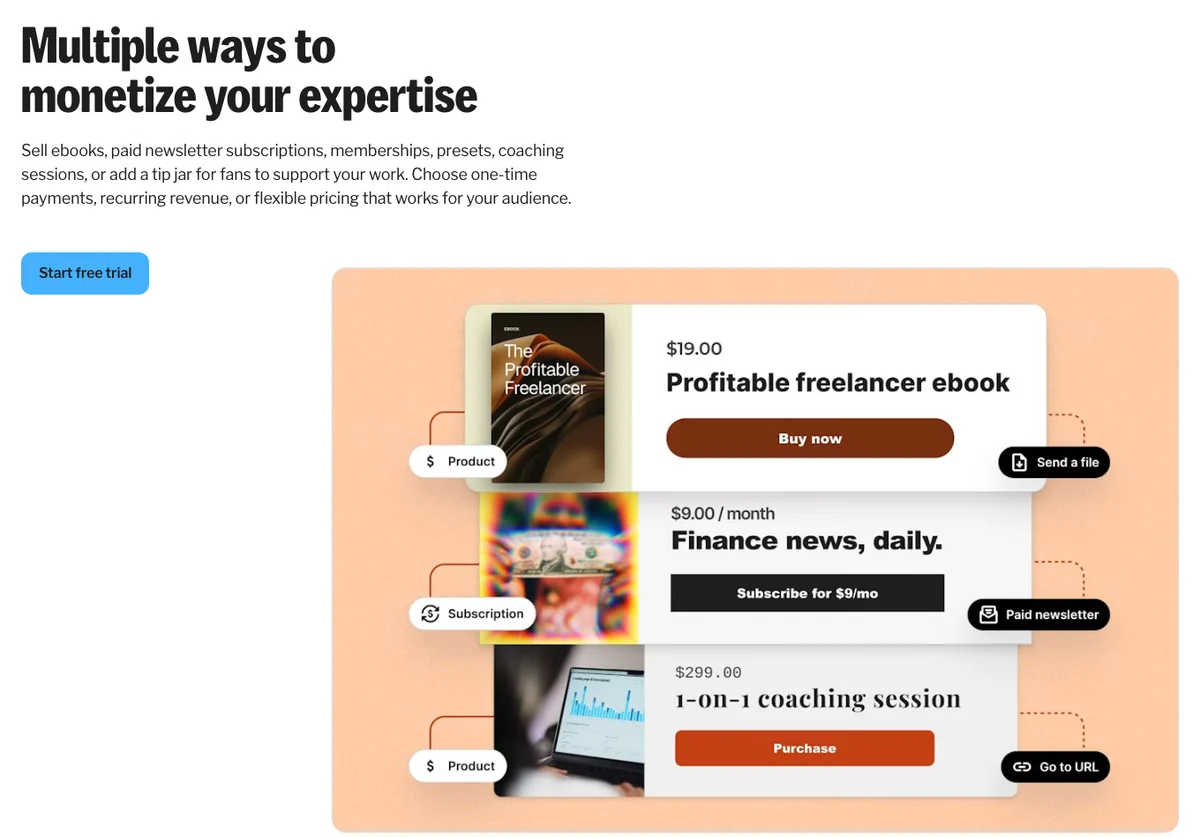
Commerce is included on every plan, the free one too. Kit charges 3.5% plus 30 cents per transaction, card fees included. The benefit is having email and sales in the same place: a purchase triggers a follow-up sequence, and you know which subscriber bought what.
If you already sell elsewhere, the Kit App Store connects more than 100 tools, including Shopify, Wix, Thinkific and Canva.
Kit pricing
Kit offers three plans, Free, Creator and Pro. The price of the two paid plans depends on the number of subscribers on your list, and prices are in US dollars. Yearly billing works out about 17% cheaper than monthly billing.
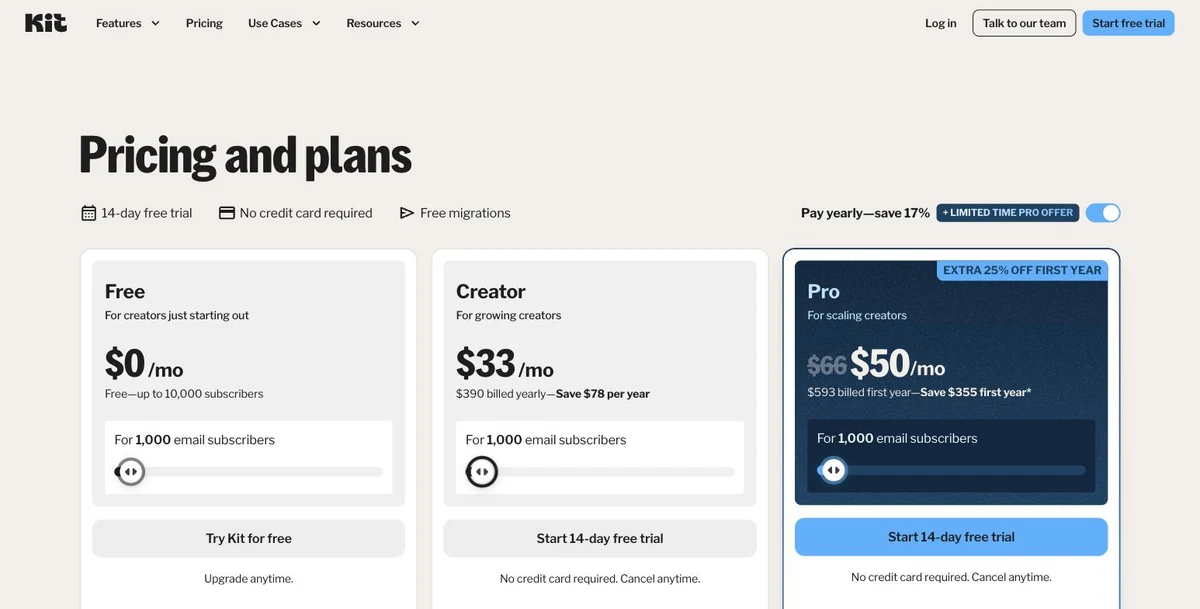
For a list of 1,000 subscribers, Creator costs $39 a month billed monthly, or $390 a year, which is $33 a month. Pro costs $79 a month, or $66 a month billed yearly. Here is how the price changes with the size of the list, billed yearly:
| Subscribers | Free | Creator | Pro |
|---|---|---|---|
| 1,000 | $0 | $33 a month | $66 a month |
| 3,000 | $0 | $50 a month | $83 a month |
| 5,000 | $0 | $75 a month | $116 a month |
| 10,000 | $0 | $116 a month | $158 a month |
| 25,000 | Not available | $166 a month | $233 a month |
The paid plans come with a 14-day free trial, no credit card required. The yearly discount applies automatically when you choose your plan.
Ready to start your list?
Free plan up to 10,000 subscribers, or a 14-day trial of the paid plans with no credit card.
Is Kit free? What the Free plan includes
Yes, and the free plan is generous: it takes up to 10,000 subscribers, with no time limit. It includes unlimited newsletters, unlimited forms and landing pages, tagging and segmentation, free recommendations and the sale of digital products and subscriptions.
What separates it from the paid plans comes down to a few points. Visual Automations and email sequences start with Creator, as do integrations, SMS marketing, removing the Kit branding from your emails and chat support. To write to your list and grow it, the free plan is enough. To run automated journeys, you need Creator.
Creator or Pro: which plan should you choose?
Creator is the plan most creators pick. It adds unlimited automations and sequences, subject line A/B tests, polls, RSS campaigns, SMS marketing, more than 100 integrations, a second user and 24/7 email and chat support. Migration from another tool is free: Kit’s team rebuilds your forms, templates and automations.
Pro is for lists that have become a business. It brings unlimited users, an engagement score for each subscriber, deliverability reporting, content A/B tests, editing links in sent broadcasts, a newsletter referral system, and support from Kit’s Growth Concierge team.
Kit vs Mailchimp
It is the comparison most people make before choosing. Mailchimp was designed for small businesses and online stores: promotional campaigns, product recommendations, a strong focus on e-commerce. Kit starts from the creator: the subscriber, their interests and what they buy from you. In practice, Kit’s free plan covers a much larger list, its automations are easier to draw, and selling digital products or a paid newsletter is built in. If you run a store with a large catalogue of physical products, Mailchimp fits your business more closely. If your audience is your business, Kit is the more natural choice.
Who is Kit for?
Bloggers and publishers
A form inside your posts, a lead magnet, and, on the Creator plan, a newsletter that goes out automatically with every new post thanks to the RSS feed: Kit turns passing readers into subscribers. The free plan lets you start with no budget.
Newsletter writers
The recommendation network, the paid newsletter and the connection with sponsors make Kit a tool cut out for people whose newsletter is the product.
Course creators, coaches and authors
Selling an ebook, delivering a course by email lesson by lesson, following up with those who hesitated: commerce and automations work together.
Podcasters, YouTubers and artists
An audience on a platform does not belong to you. An email list does. Kit brings that audience back to you and lets them know about every release.
Kit’s strengths
- A free plan up to 10,000 subscribers, with unlimited newsletters, forms and pages.
- Visual Automations that are easy to build, with ready-made templates.
- One subscriber, many tags: no duplicates, no contacts paid for twice.
- The recommendation network, a growth channel unique to Kit.
- Built-in sales of digital products, even on the free plan.
- 99.8% deliverability and free migration on the paid plans.
Things to know
The price of the paid plans follows the size of your list: look at the tier you will reach in a year, not just the one you are on today. Automations start with the Creator plan. Finally, Kit is designed for creators: an online store with a large catalogue of physical products will find tools closer to its trade.
Getting started with Kit
- Open a free account and import your existing list if you have one.
- Create a form or a landing page, with a lead magnet.
- Add your first tags: sign-up source, area of interest.
- Send your first newsletter from a template.
- Turn on recommendations to win subscribers through other creators.
- Move up to Creator the day you want an automated welcome sequence.
Kit vs the alternatives
| Tool | The right choice if… |
|---|---|
| Kit | You are a creator and want newsletter, automations and sales in one place |
| Brevo | You want email, SMS, WhatsApp and contact management for a small business, with a free plan |
| GetResponse | You want email, landing pages, webinars and sales funnels in the same tool |
| Mailchimp | You run an online store and mostly need promotional campaigns |
| MailerLite | You want a low-cost subscription for a small list |
| Substack | You only want to publish a newsletter, as simply as possible |
To compare with other tools, browse all my tool reviews.
Kit (ConvertKit) FAQ
Are Kit and ConvertKit the same tool?
Yes. ConvertKit changed its name to Kit. The product, the accounts and the features are the same, and the website is now kit.com.
How much does Kit cost?
For 1,000 subscribers, Creator costs $33 a month billed yearly or $39 billed monthly, and Pro $66 or $79. The price then rises with the size of your list.
Is Kit really free?
The Free plan is free with no time limit up to 10,000 subscribers, with unlimited sends, forms and landing pages. Automations require the Creator plan.
Is Kit better than Mailchimp?
For a creator, yes: a free plan for up to 10,000 subscribers, simpler automations, and digital product sales built in. For an online store with many physical products, Mailchimp is closer to the need.
Can I try the paid plans?
Yes, Creator and Pro come with a 14-day free trial, no credit card required, and can be cancelled at any time.
Can I switch from another email tool?
Yes. On the paid plans, Kit’s team handles the migration for free: subscriber list, forms, templates and automations.
My verdict on Kit
Kit is the email tool to choose when your business rests on an audience. It brings together what a creator needs without stacking subscriptions: the newsletter, automations, landing pages, digital product sales and a recommendation network that grows the list. Its free plan up to 10,000 subscribers is one of the most generous on the market, and its deliverability is on a par with the best.
Start with the free plan to build your list, then move up to Creator the day you want to automate your welcome sequence and your sales.
Want to grow your email list?
Newsletters, automations, landing pages and digital product sales, free up to 10,000 subscribers.
The Kit links on this page are affiliate links: if you subscribe through them, I earn a commission, and you pay the same price. My opinion remains my own.